Questions / Answer
How Do I Prepare for a FedRAMP Annual Assessment?
Your annual assessment is near, and your monthly files feel scattered.
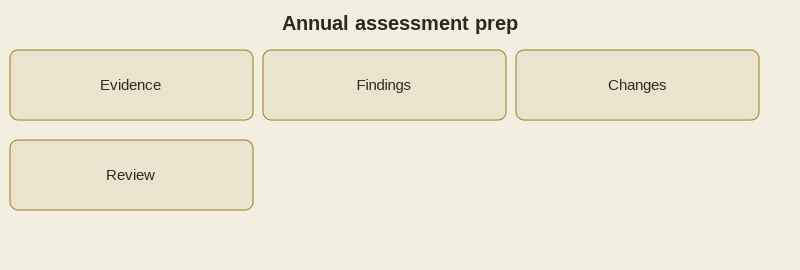
FedRAMP means Federal Risk and Authorization Management Program. ConMon means continuous monitoring. 3PAO means Third Party Assessment Organization. The 3PAO tests your controls each year. It does not start from zero. It builds on your monthly ConMon files. The FedRAMP Continuous Monitoring Playbook sets out that monthly rhythm.
This article explains FedRAMP only. It makes no claim about any vendor. PolicyCortex is not FedRAMP authorized. Read this as an independent explainer, not as a vendor claim.
Start with the monthly file, not with a last minute search
Pull your last twelve monthly ConMon files. Each file should hold scan results, an updated POA&M, and an inventory. POA&M means Plan of Action and Milestones. Check that each month is complete. A missing month will draw questions first.
Match each scan finding to an inventory asset. A finding with no asset means your inventory is incomplete. Match each real finding to a POA&M entry. A finding with no POA&M entry looks untracked. Fix both matches before the assessor arrives. Do not wait for the assessor to find them.
Close what you can, and date what you cannot
Work the POA&M from oldest to newest. For each closed item, keep proof that the fix was verified. A rescan showing the finding is gone is strong proof. A closed ticket alone is weak proof. Keep both, and link the rescan to the original finding.
For items still open, check the due date and the owner. An overdue item with no new date looks ignored. Update the date with a reason. Name the blocker in plain words. An assessor accepts a dated plan. An assessor does not accept silence.
Reconcile changes since the last assessment
List every significant change since the last annual assessment. A new service, a new data flow, or a new hosting region counts. A change to who can reach the system counts. A change to how customer data moves counts.
For each change, note whether it was reported and reviewed. If a change was not reported, raise it now. A change found by the assessor is harder to explain than a change you report yourself. Update the system description and the boundary diagram for each change. A diagram that no longer matches the system will fail on sight.
Run a pre-assessment review of your own
Pick a sample of controls across each control family. For each control, pull the evidence the assessor will ask for. Check that the file opens, the date is clear, and the system name matches. Check that the evidence proves the control, not just the plan for it.
Interview your own control owners. Ask each owner to explain their control in plain words. Ask what proof they would show. Where an owner cannot explain the control, train them or reassign the control. An owner who cannot explain a control will not pass an interview.
What to have ready on day one
Have the authorization package, the current POA&M, and the twelve monthly files in one place. Have the inventory, the boundary diagram, and the change log beside them. Have a named contact for each control family. Day one should feel like handing over a tidy file, not starting a search.
Sources
- FedRAMP Continuous Monitoring Playbook.
- NIST SP 800-53 Revision 5.
- Original diagram by PolicyCortex.
Next step
Want evidence tied to each control from live systems? See how PolicyCortex collects it.