Questions / Answer
How Do I Write a FedRAMP System Description That Matches the Boundary Diagram?
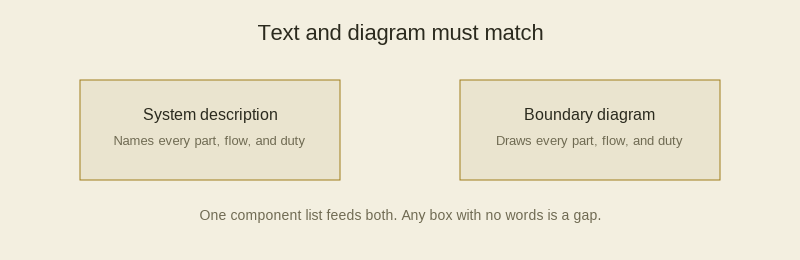
Your assessor opens your system description, then opens your boundary diagram. The two do not match. A service in the text is missing from the picture. A box in the picture has no words in the text. The review stops there.
FedRAMP is the Federal Risk and Authorization Management Program. It authorizes cloud services for federal use. The System Security Plan (SSP) is the main document. SSP means System Security Plan. The system description and the boundary diagram both live in it.
What each piece must show
The system description names every part of the service. It names the components, the data flows, and the external connections. It names the cloud infrastructure underneath. It names who runs each part, you or your provider.
The boundary diagram draws the same parts. Every component in the text gets a box. Every data flow in the text gets an arrow. Every external service gets a clear edge. The diagram is the picture of the text, not a separate story.
FedRAMP boundary guidance asks for this match. The authorization boundary is the line around your service. What sits inside the line is yours to secure. What sits outside the line is a dependency you must name.
Where the two drift apart
Drift starts when the service changes and only one piece is updated. A new logging service joins the system. The text gains a paragraph, but the diagram gains no box. A database moves to a new region. The diagram moves the box, but the text still names the old region.
Shared services cause the same drift. A service you inherit from your provider needs a line in the text and a box in the diagram. A customer duty needs the same treatment. If the text says the customer owns backups, the diagram must show the customer at the edge.
How to keep them in step
Write the description and draw the diagram from one list. Keep one list of components, flows, and connections. Update the list first, then the text, then the diagram. Never update one without the other.
Check the match before each review. Read the text and point at each box. Read each box and find its words. Any box with no words is a gap. Any words with no box are a gap too.
Name the data in each flow. Say what moves, and in which direction. A flow labeled with data and direction is easy to check. A bare arrow is a guess.
What to do this week
Print your diagram and your system description side by side. Check each box against the text. Add the missing boxes and the missing words. Then lock the component list as the single source for both.
Sources
- FedRAMP Authorization Boundary Guidance, Federal Risk and Authorization Management Program. https://www.fedramp.gov/documents-templates/
- NIST SP 800-37 Revision 2, National Institute of Standards and Technology.
- NIST SP 800-53 Revision 5, National Institute of Standards and Technology.
- Original diagram by PolicyCortex.
Next step
Want compliance evidence gathered from live systems, not by hand? See how PolicyCortex collects it automatically.