Questions / Answer
What Happens If My Cloud Provider Loses Its FedRAMP Authorization?
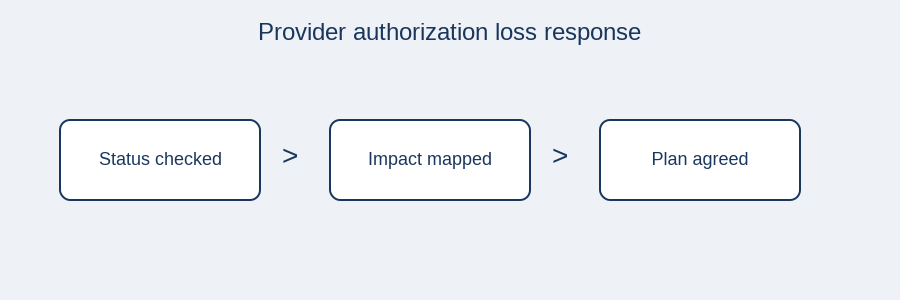
Your cloud provider loses its authorization. Your service still runs. Your risk picture just changed.
Federal Risk and Authorization Management Program (FedRAMP) authorization is granted per service. It is not granted to a whole vendor at once. A loss hits one service and its listed scope.
This article is an independent explainer. It does not describe any one vendor. It describes the steps any customer should take.
Step one: confirm what actually changed
Check the FedRAMP Marketplace listing for that service. Confirm the status shown there. Note the date of the change.
Read the provider notice in full. A scope change differs from a full loss. A suspended listing differs from a removed listing. Each case needs a different response.
List which of your controls the provider supports. Those are inherited controls. They are controls you rely on the provider to run. Your System Security Plan (SSP) should already name them.
Step two: map the impact on your package
For each inherited control, ask one question. Can you still show the control works? If the provider evidence stops, your proof stops too.
Sort the controls into three groups. Group one still has valid evidence. Group two has evidence that will age out soon. Group three has no current evidence at all.
Group three drives your timeline. Tell your agency contact about group three first. Lead with facts, not with a proposed fix you have not checked.
Step three: agree a plan with your agency
Your agency Authorizing Official (AO) owns your authorization decision. The AO is the senior official who grants it. Bring the AO a plan, not just a problem.
The plan should name each affected control. It should name a replacement control or a new provider. It should name dates for each step.
Ask what interim evidence the agency will accept. Ask how long the interim period can run. Write those answers down with dates.
Step four: protect your data and your exit
Review your contract terms for exit and data return. Note the notice period and the data export format. Do this before you need either one.
Start a migration or replacement plan in parallel. A plan on paper beats a rushed move later. Keep your own backups in a form you can restore.
Do not move production data on a rumor. Move on a confirmed status change and an agreed plan. A rushed move can create a new incident.
What to do this week
List your inherited controls by provider service. Check each Marketplace listing for current status. Save a dated copy of each listing you rely on.
Sources
- FedRAMP Marketplace, Federal Risk and Authorization Management Program.
- FedRAMP Continuous Monitoring Guidance, Federal Risk and Authorization Management Program.
- NIST SP 800-53 Revision 5, National Institute of Standards and Technology.
- Original diagram by PolicyCortex.
Next step
Want inherited controls mapped to evidence in one place? See how PolicyCortex collects it from live systems.